
Market Cards For Discord
The Market, Distilled.
Crypto, US stocks and macro as clean image cards in your Discord server, on command or on a schedule.


Every Card


One Command, One Card
Type a command and the bot posts its card in the channel as an image.
Liquidation Heatmap
See Where Leverage Gets Wiped Out
Crypto Categories
12 Sectors Ranked By 1H, 4H, 24H And 7D
Funding Rates
Top 20 Coins Across 7 Exchanges
Economic Calendar
High-Impact Events, Actual Vs Forecast
Stock Movers
Top US Gainers And Losers, Incl. Pre-Market
RSI Heatmap
The Top 60 Coins By 14-Day RSI
Every Command
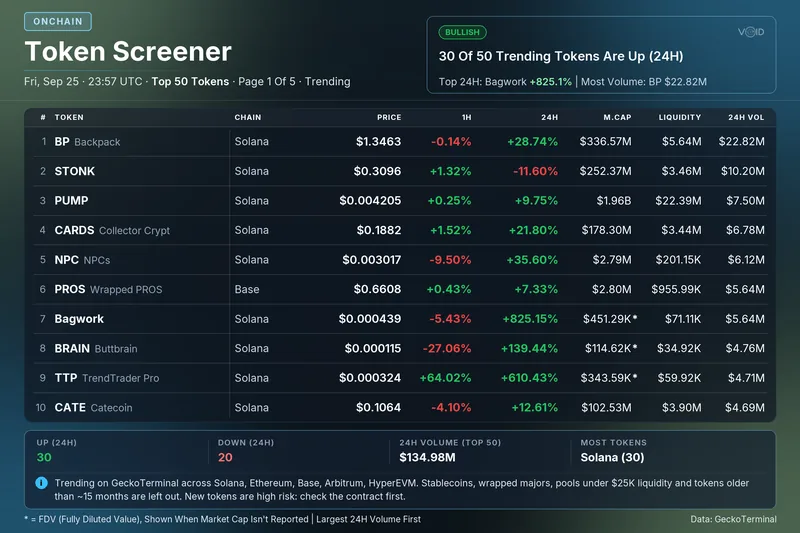
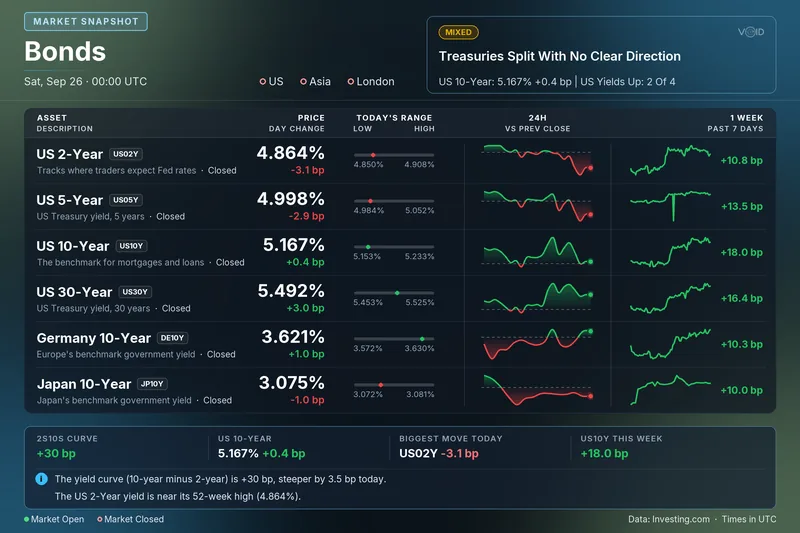
And More Cards
See All Commands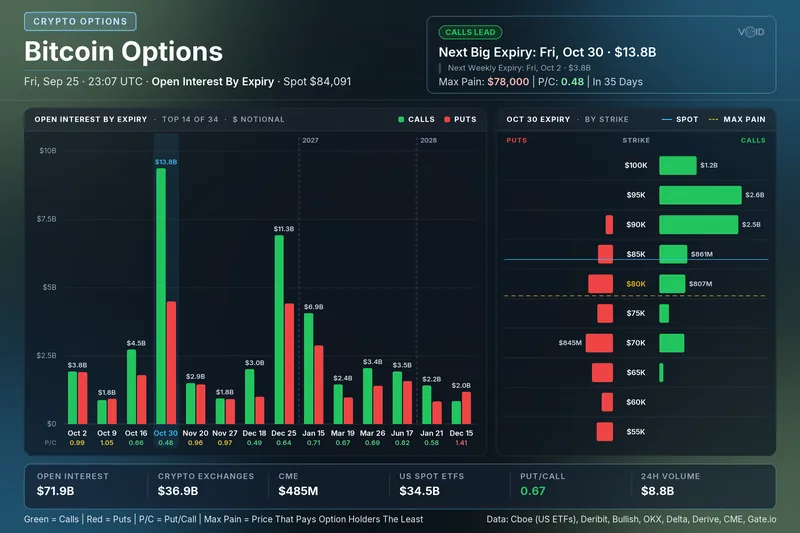
Set It And Forget It
Server admins pick a card and a channel once, and the bot posts it on schedule from then on.
-
1
Pick An Action
Type
/automateand pick Turn On, Turn Off, Preview or Status.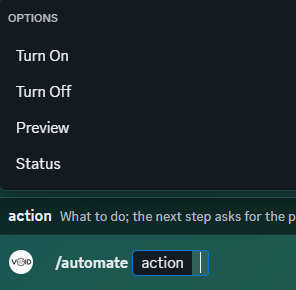
-
2
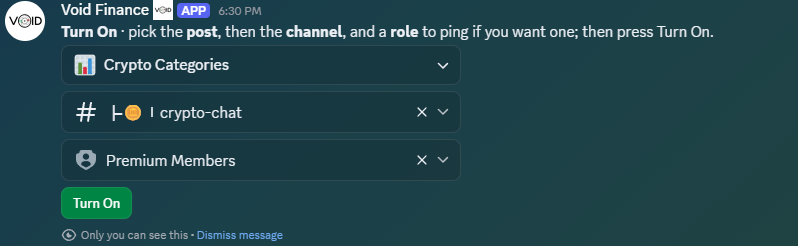
Pick The Post, Channel And Role
Choose the card, the channel it posts in and, if you like, a role to ping. Then press Turn On.
-
3
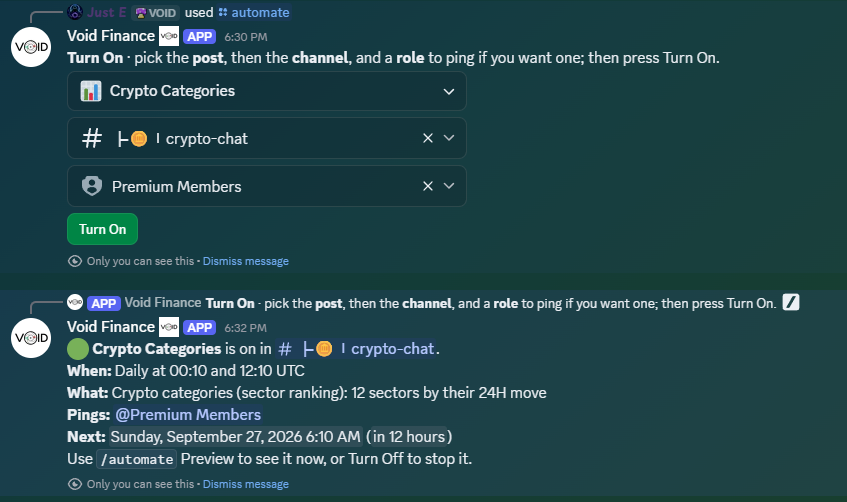
Done, It Posts On Its Own
The bot confirms where and when it posts, who it pings and when the next post goes out.
A Day In Your Server
In order through the day, each time in its own time zone, daylight saving included. You choose which posts go where.
- TokyoAsia OpenGreeting + Crypto BoardMon–Fri
- UTCEconomic CalendarUpdates As Results Come OutMon–Fri
- UTCCrypto & CategoriesPlus RSI, EMA-200, Funding & LiquidationsEvery Day
- LondonLondon OpenGreeting + Crypto BoardMon–Fri
- UTCCommodities, Currencies & IndicesBefore The US OpenMon–Fri
- New YorkUS Market OpenStocks & Stock Movers At 09:50Mon–Fri
- New YorkStocks, ETFs & BondsPlus Stock Movers, After The CloseMon–Fri
17Commands
7Exchanges
100US Stocks
60Coins On RSI